Denial analysts and billing specialists
What happened? Is action possible? What evidence supports it?
Healthcare Denial Intelligence & Decision Support
Connect claims, remittances, enrollment, eligibility and authorization data to investigate why revenue was denied, prioritize what needs attention and identify patterns that point to prevention opportunities.
Synthetic demonstration data only. No PHI.
From denial code to evidence
An 835 remittance records that a payment was adjusted or denied, and the reason and remark codes the payer applied. On its own, it rarely shows whether coverage was active on the date of service, whether an authorization was on file, or how the claim as submitted relates to the outcome.
DenialIntel looks beyond the adjustment code, helping teams move from reporting what was denied to understanding what happened, what needs attention and what may prevent recurrence. It brings related transaction records together so teams can see what the record supports and decide whether action is possible.
Connected transaction intelligence
Healthcare transactions are created at different points in the patient and claim lifecycle. They are separate records — not a processing pipeline — and, where available, each contributes evidence about what occurred.
Shown in lifecycle order: Enrollment — Eligibility — Authorization — Claim — Remittance
Membership and coverage periods. Was the patient enrolled for the period in question?
Eligibility inquiry and response. What did the payer report about coverage around the service date?
Authorization request and response. Was the service authorized, and for what?
The claim as submitted. What was billed, for whom, by whom and when?
Payment and adjustment advice. What was paid, adjusted or denied, and with which reason codes?
Each record contributes evidence to denial investigation, where available.
From transaction to action
Healthcare transaction data enters the workflow. In the public demo, synthetic data is pre-loaded and uploads are not available.
Transaction and data validation checks identify incomplete or inconsistent records before analysis.
Claims are matched to remittances, linking each payment outcome to what was billed.
Denials are identified and classified by reason, payer, department and other dimensions.
Analysts review claim, remittance, eligibility and authorization evidence for a denial.
Worklists, ageing and priority analysis show which denials need attention first.
Evidence and prioritized worklists support the appeal, correction and follow-up work your team carries out.
Recurring patterns and likely contributing causes point to upstream processes worth reviewing.
Decision support at every level
DenialIntel provides operational and financial decision support — not clinical decision support. It is designed to answer the questions each part of the revenue-cycle organization brings to denials.
What happened? Is action possible? What evidence supports it?
Which process or upstream issue keeps producing this denial?
Where is revenue being lost? What deserves management attention?
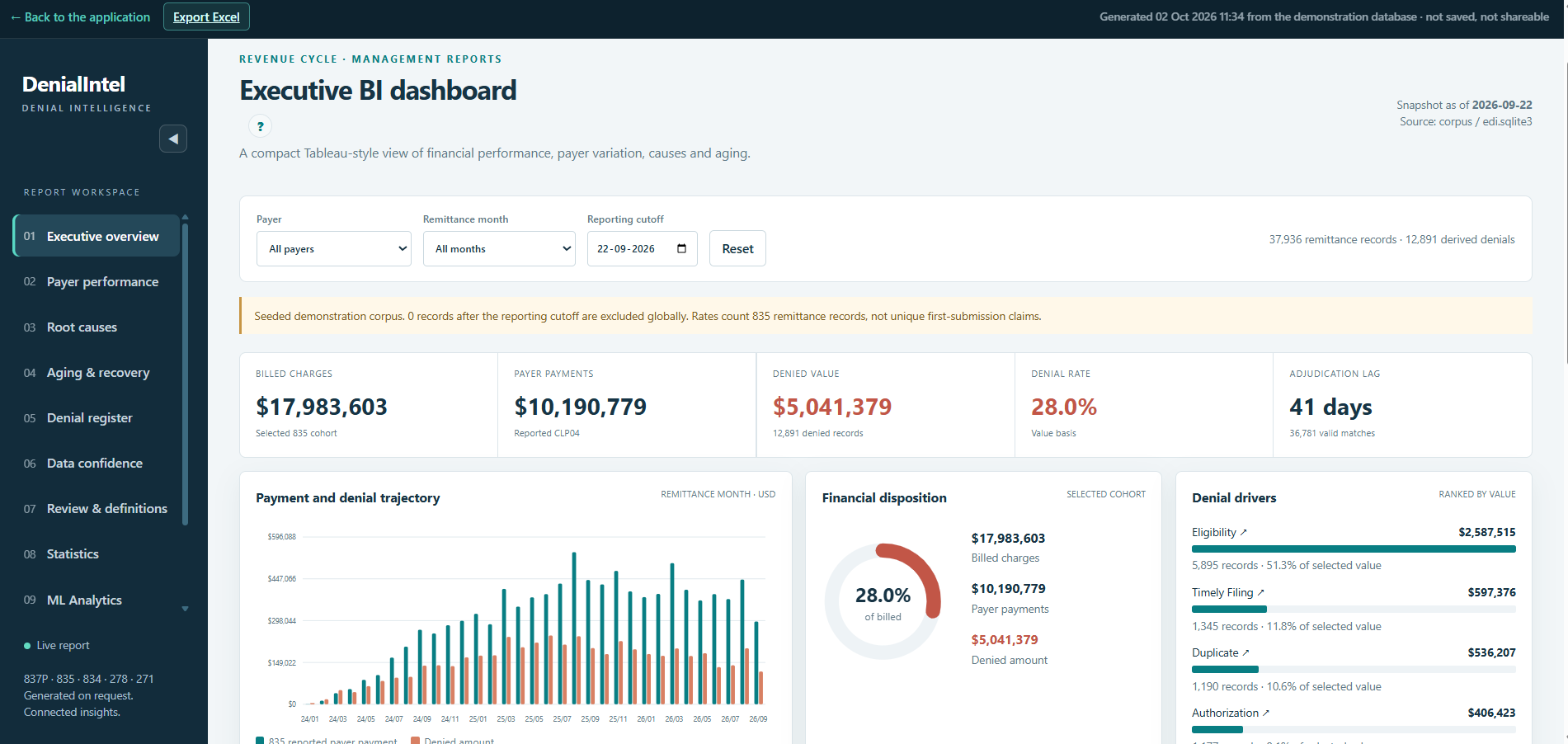
Product preview
From management-level denial patterns to individual transaction evidence, DenialIntel keeps analysis connected to the records behind it.
Deterministic analytics, optional AI
DenialIntel's core rules, matching and calculations are deterministic and reproducible. Statistical and ML analysis add pattern and risk indicators, while AI provides optional explanation of established evidence.
Statistical and ML analysis highlight patterns and risk indicators to support review. They do not make decisions.
AI does not perform the core calculations, decide whether a claim must be paid or replace professional and payer-policy review.
People review the evidence and decide what action to take.
Explore the working DenialIntel application using synthetic healthcare transaction data. No login is required, and no patient information should be entered.
Synthetic demonstration data only. Do not enter PHI or other sensitive personal information.